
8 min read
If there was one word you couldn't avoid at Community Summit North America this year, it was AI. It was on booths, in sessions, in product demos, and in hallway conversations. But the interesting part wasn't how much AI we saw. It was the gap between talking about AI and actually putting it to work.
We spent our time in Nashville between the expo floor, our own ISV session, and a long list of conversations with Microsoft Dynamics 365 and Business Central customers, partners, and other ISVs. Six things stood out. Here's what we saw, and what we think it means if you run your business on Dynamics and want more out of your data.
1. AI is becoming table stakes. Real execution is still rare.
The biggest trend at Community Summit NA was simple: almost every vendor on the expo floor now claims to have AI. Our takeaway is that this won't last as a selling point. Within a short time, customers will expect AI inside their business applications the same way they expect search or mobile access. Nobody chooses an ERP add-on because it has a search box.
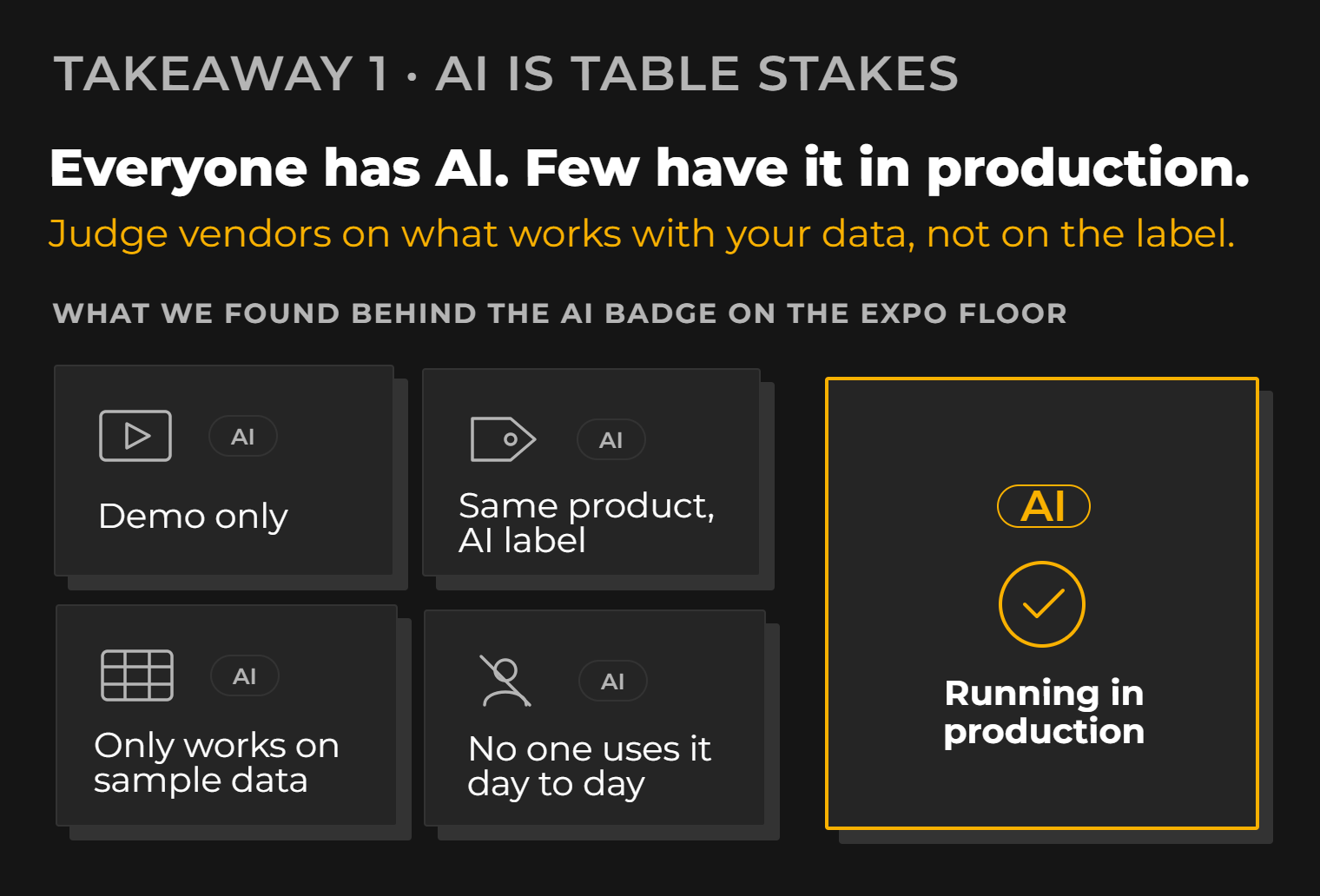
Once everyone has the label, the label stops meaning anything. The distinction that matters is execution. Is this something genuinely useful and running in production, or is it an attractive demo, or an AI tag added to a product that hasn't really changed?
If you're evaluating vendors, a few plain questions cut through most of it. Does it work on your data, not a curated sample? Who uses it every day, and for what? What happens when it gets an answer wrong?
We got a useful signal at our own ISV session, which drew more than 100 people. One of the strongest reactions was to practical solutions such as our conversational analytics solution. People told us they appreciated seeing something built around a real business problem instead of sitting through another sales pitch. That says something about where the audience is. They've seen enough AI announcements. They want to see the thing work.
Conversational analytics, for anyone new to the term, means asking questions of your business data in plain language and getting answers back, without building a report first.

2. Microsoft Fabric and Direct Lake are changing how ERP analytics gets built
Microsoft Fabric had real momentum at Summit NA. More organizations are looking beyond traditional on-premises SQL architectures and considering Fabric as the foundation for their analytics.
Microsoft Fabric is Microsoft's analytics platform that brings data ingestion, engineering, warehousing, and Power BI reporting together around a single data store, OneLake. Microsoft's Fabric documentation covers the platform in depth, and our Microsoft Fabric consulting page explains how we implement it.
Why companies are reconsidering on-premises SQL for ERP data
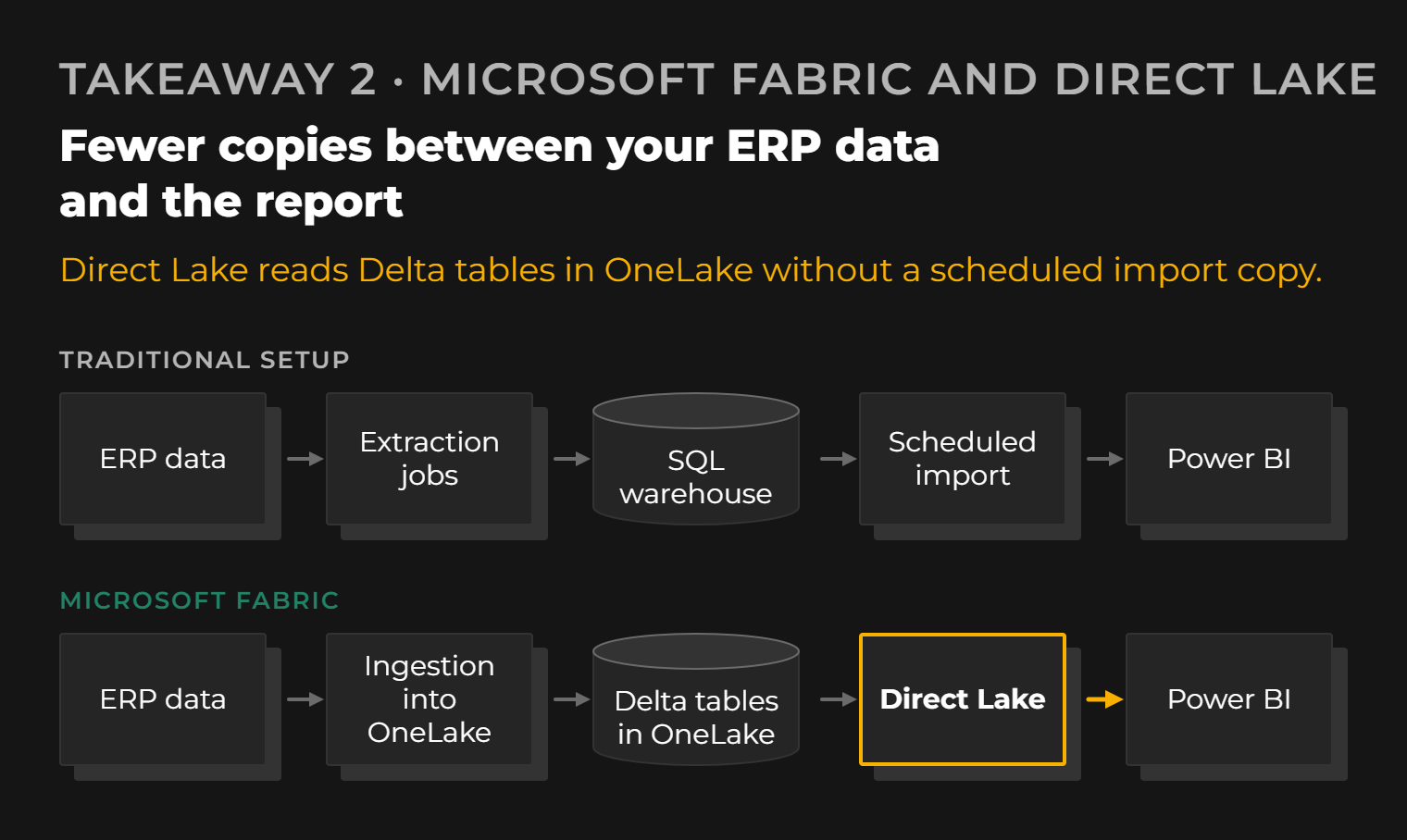
Traditional SQL-based setups aren't broken. Plenty of them run reliably every night. The question people were asking is whether the effort still makes sense: extraction jobs, staging tables, a warehouse, then a Power BI model on top, each layer with its own maintenance and its own way of failing at 3 a.m.
The two areas where Fabric came up most in our conversations were faster, simpler data ingestion and reporting performance through Direct Lake.
What is Direct Lake, and why does it matter for Power BI?
Direct Lake is a way for Power BI semantic models to read data straight from Delta tables in OneLake, loading it into memory when needed instead of copying it into the model through a scheduled import.
To see why that matters, look at the two traditional options. Import mode copies data into the Power BI model. It's fast to query, but every refresh moves the data again, models have size limits, and your reports are only as current as the last refresh. DirectQuery leaves the data in the source and queries it live. It's current, but on large models it's often slower.
Direct Lake aims for import-like performance without the import step. That doesn't make it limitless. It has its own guardrails tied to Fabric capacity, and those deserve attention during design.

For ERP analytics, this is a big deal. Business Central and Dynamics 365 tables such as general ledger entries, item ledger entries, and sales lines grow fast. With import models, teams end up making familiar compromises: trimming history, pre-aggregating detail, and squeezing refreshes into overnight windows. Direct Lake gives you a realistic way to work with the full volume of ERP data in Power BI without most of those trade-offs. If you want to look at this for your own setup, see our reporting and business intelligence services.
3. Autonomous agents got the spotlight. Assistants are doing most of the work.
Are autonomous AI agents actually being used by businesses today? Some are. But from what we heard at Summit NA, most real implementations are still task-specific assistants and bots, often built with tools like Copilot Studio, rather than agents running business processes on their own.
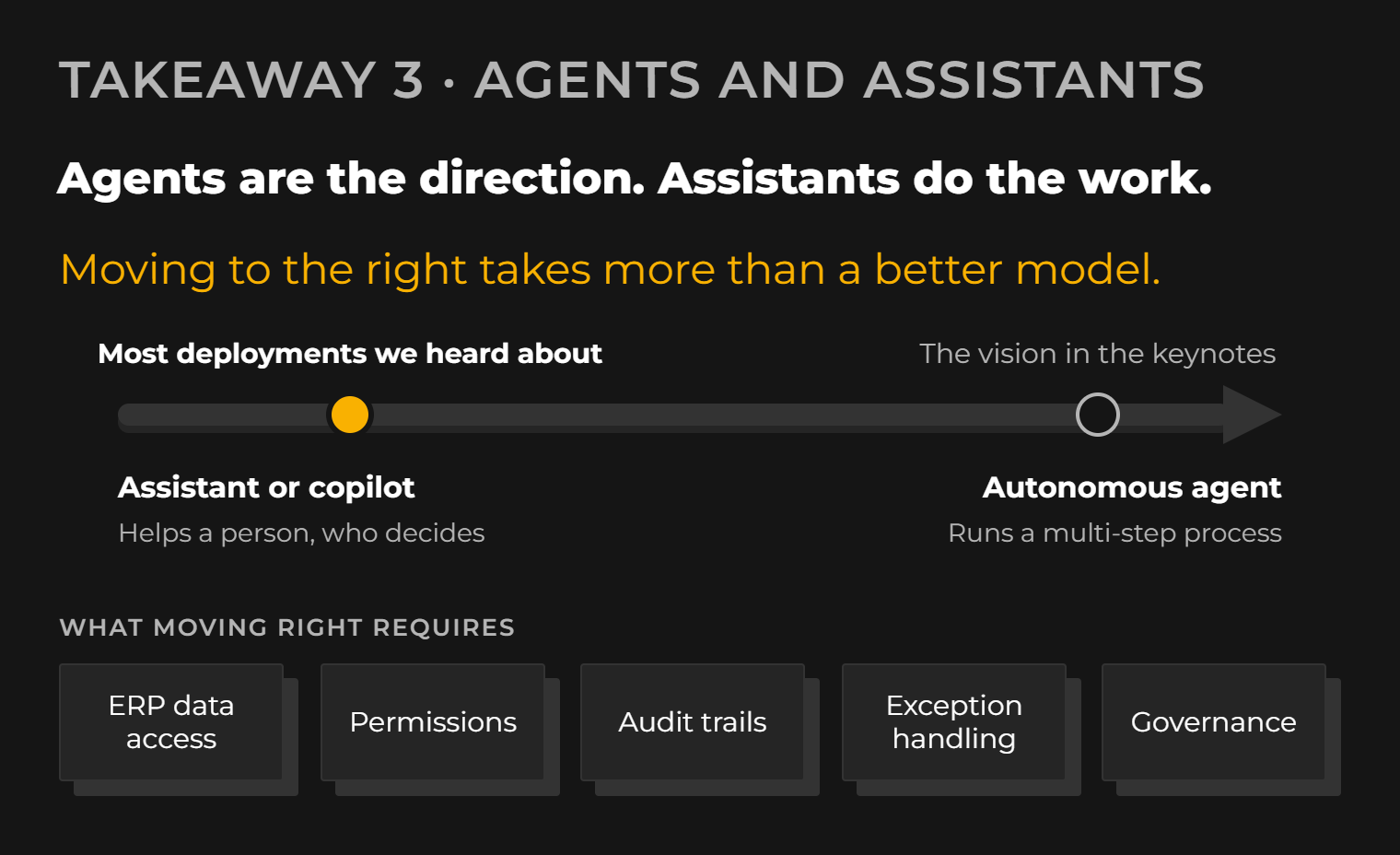
Agents were everywhere in the keynotes and in conversations. The vision is compelling, and we don't think it's hype. It's just further along on stage than it is in most companies.
The terms get blurred, so here is how we'd separate them:
- An assistant (or copilot) helps a person complete a task. It drafts, summarizes, looks something up, or suggests a next step. The person decides.
- An autonomous agent carries out a multi-step process with limited human involvement. It reads data, makes decisions within defined rules, and takes action in business systems.
Copilot Studio is Microsoft's low-code tool for building copilots and agents. It's a practical way to put a focused assistant in front of users quickly, and that's mostly how we saw it being used.
More autonomous processes need much more underneath them. The agent needs reliable access to ERP data, permissions that match what a human in that role could do, audit trails, exception handling, and governance over what it's allowed to change. That means deeper integration with enterprise platforms and tools such as Microsoft Foundry, Microsoft's platform for building, deploying, and managing AI applications and agents.
Our view: for most Dynamics customers right now, copilots and assistants with a human in the loop are the realistic starting point. Pick a well-defined task, prove it saves time without creating new errors, and extend autonomy from there. That's not a lack of ambition. It's how you earn enough trust to let software act on its own, and it's how we approach our own AI analytics apps for Business Central.

4. The overlooked problem: shadow AI and corporate data hygiene
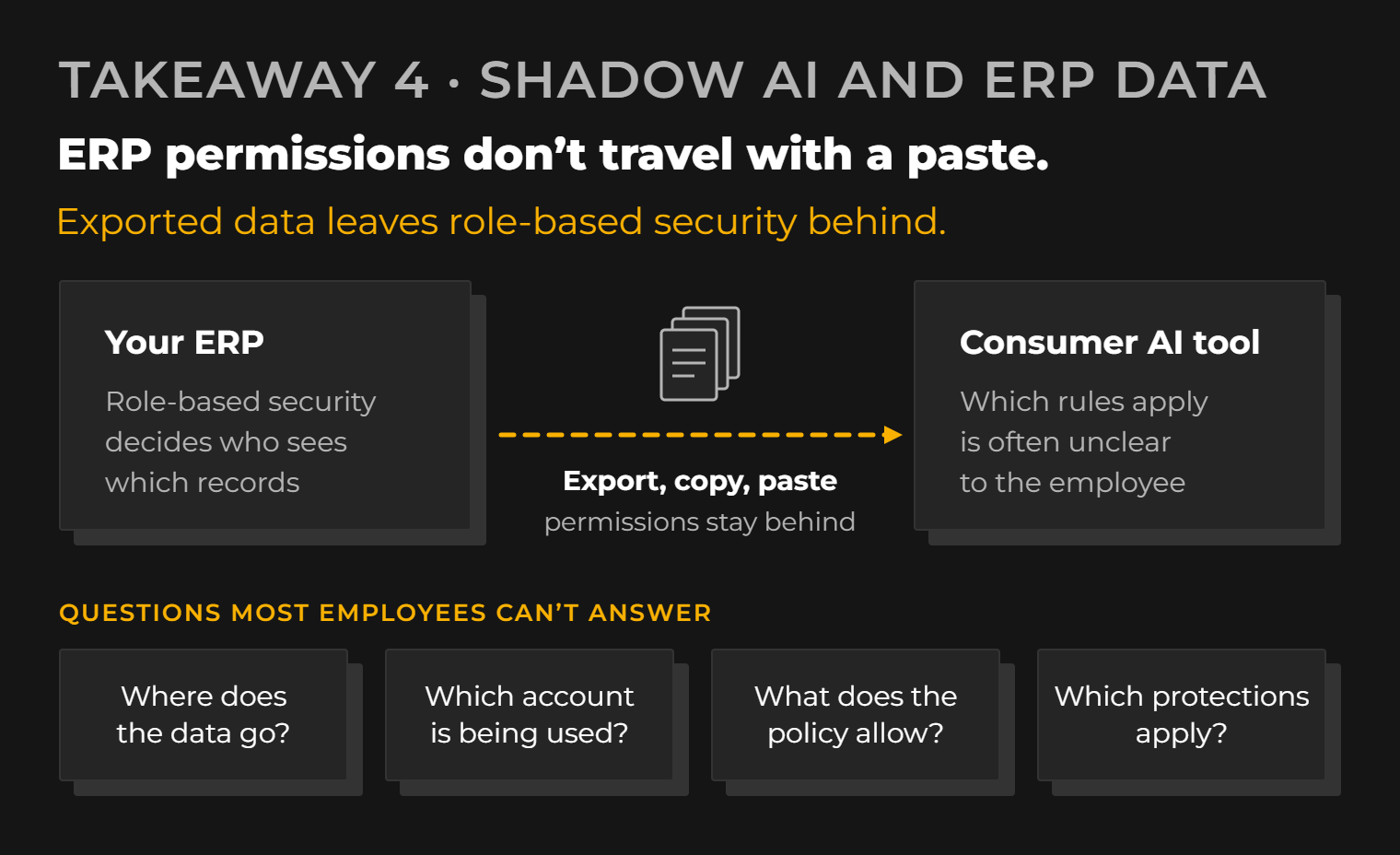
The risk that got the least attention at Summit NA is, in our opinion, the most urgent one: employees copying ERP, financial, customer, and operational data into consumer AI tools without knowing what happens to it.
Shadow AI is the use of AI tools for work outside the tools and accounts the company has approved and governs.
Companies want their people to use AI, and they should. But it's easy to picture how this goes in practice. A controller exports aged receivables to Excel and pastes them into a chatbot to draft collection emails. A sales manager pastes a pipeline report, customer names included, to get a quick summary for a meeting. Neither person thinks of it as a data decision. It feels like using a calculator.
In most cases, that employee can't confidently answer four questions:
- Where does that information go once it's submitted?
- Which account are they using: a personal one, a free tier, or a company-managed enterprise account?
- What does the company's policy actually allow?
- What data protection controls apply to that specific service and plan?
The answers vary. Terms, retention, and training settings can differ between consumer and enterprise versions of the same AI service, and between account settings within the same plan. The problem isn't that every free tool misuses data. It's that most employees have no idea which rules apply to the window they just pasted into.
Why ERP data makes this worse
ERP data is concentrated and sensitive by design. It holds pricing, margins, customer and supplier details, payment terms, and financial results, all in one structured place.
Your ERP also has role-based security. Business Central and Dynamics 365 control who can see which companies, ledgers, and records. The moment someone exports that data and pastes it into an external tool, those permissions don't travel with it.
What good governance looks like before sensitive data meets AI
Banning AI rarely works. People find workarounds, and the workaround is usually the riskiest option. What helps is giving them a sanctioned path that's good enough to use:
- a clear AI policy written in plain language, with examples of what is and isn't acceptable
- approved enterprise AI tools, so employees have a safe default
- proper account boundaries between personal and work use
- access controls that respect existing ERP permissions
- employee education that explains the reasons, not just the rules
- ongoing governance, because tools, terms, and features keep changing
There's one more point we'd add. When people paste ERP data into a chatbot, it's often because they can't get a straight answer from their reports. That's an analytics gap as much as a security gap. Closing it with analytics built on your Dynamics 365 and Business Central data removes much of the reason to go around IT in the first place.
5. Dynamics 365 and Business Central are going AI-first. Judge the results, not the feature count.
Microsoft is clearly positioning Business Central and the wider Dynamics 365 portfolio around AI and Copilot (see AI in Business Central and the Dynamics 365 documentation). For customers, the practical effect is that AI capabilities increasingly arrive inside the applications you already use, rather than as separate projects you have to start.
That's useful. It also makes it tempting to measure progress by counting features.
We'd suggest a different test. The question isn't how many AI features your ERP contains. It's whether those features help finance, sales, operations, and management understand their data and make decisions faster. A finance lead closing the month, an operations manager chasing late orders, and a sales director checking margin by customer each need something different. A feature that doesn't change how one of them works is a demo, even if it ships in the product.
This is where analytics and purpose-built tools that sit on top of business data come in. Many real questions cross several areas, several years of history, or systems outside the ERP. Answering them well needs a solid data foundation and a layer designed around how people actually ask questions. AI built on a messy or partial data model tends to give confident answers that are wrong, which is worse than no answer at all.
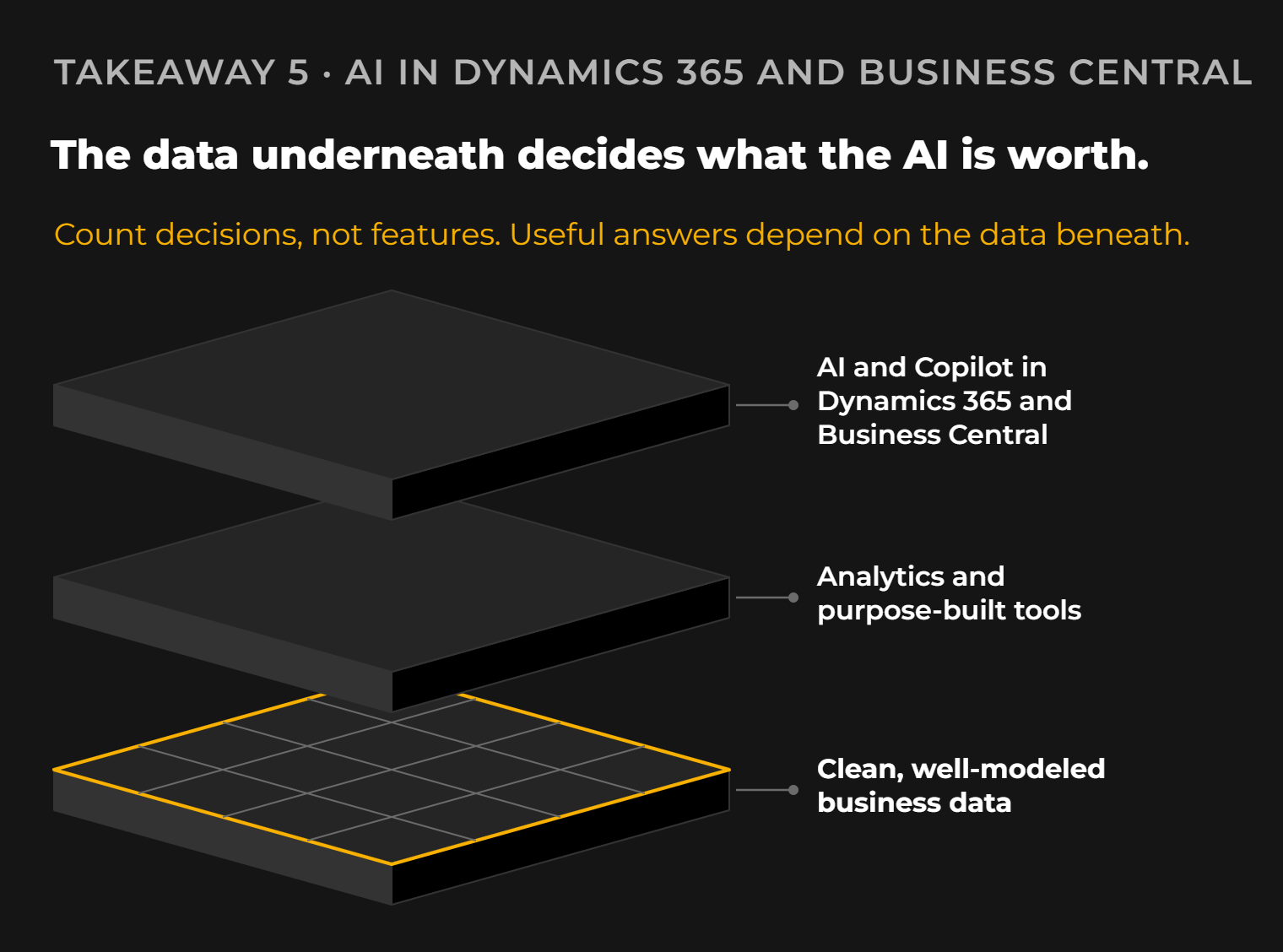
So our advice to Dynamics customers is to welcome the built-in AI, use it where it fits, and keep investing in the data underneath. That's what decides whether the AI in your ERP is useful or just present.
Where is AI in ERP heading? Our expectation is that it becomes a normal part of the interface, with the real differences between companies coming from data quality, governance, and how well tools are matched to specific business decisions.

6. The community is still the best reason to go to Summit NA
For all the technology on show, the most valuable part of Summit NA was the people.
Nashville brought real energy to the week. We caught up with industry contacts we've known for years, met new customers, and spent time with partners and ISVs who are working through the same implementation problems we are. Some of the most useful conversations happened in hallways and over dinner, where people talk honestly about what's working and what isn't. You don't get that from a product page.
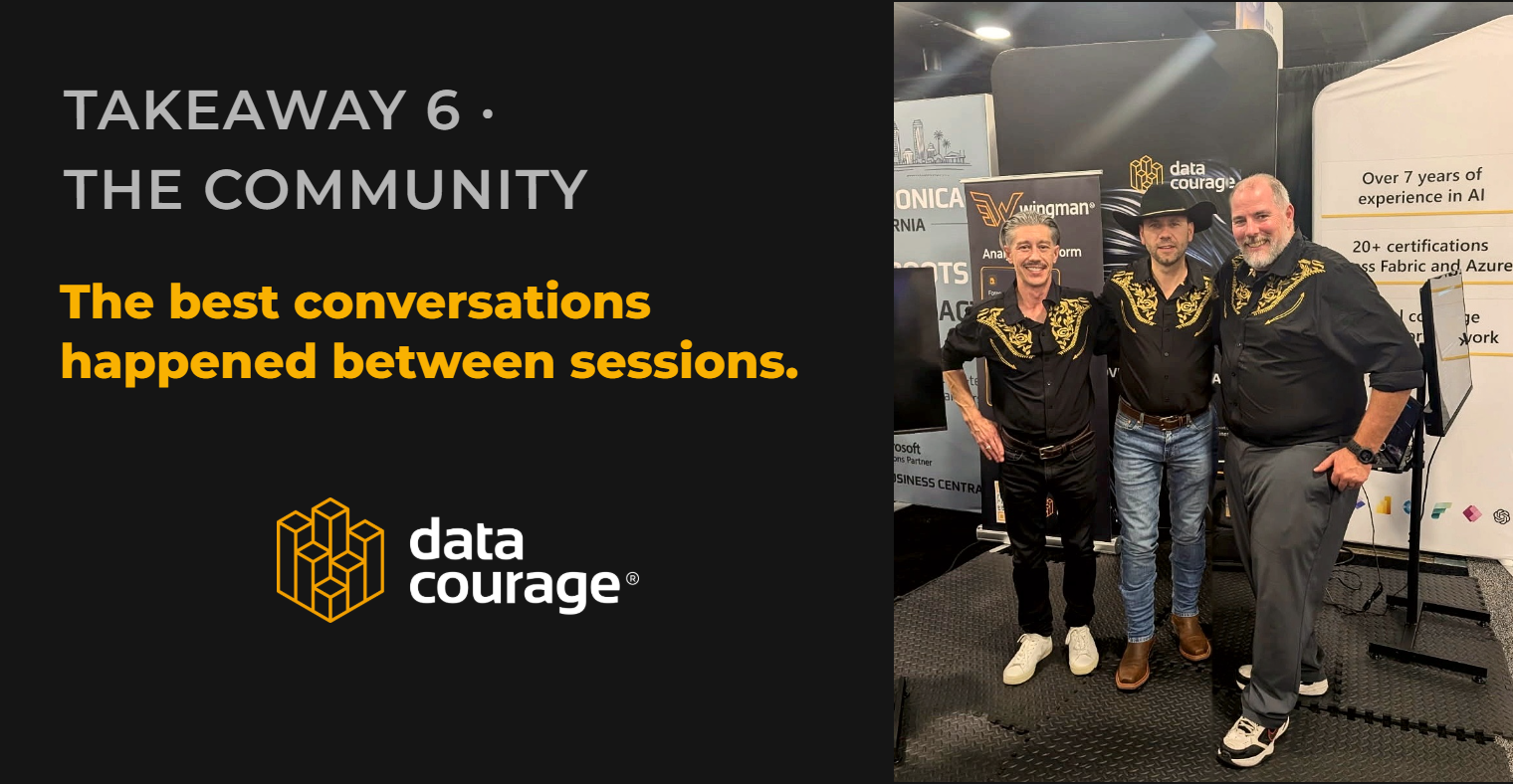
A big thank-you to the Optimus Business Transformation team for their hospitality. It made the week better.
So, what did we take away from Summit NA?
- AI is no longer the differentiator. Execution is. Expect AI in every product, and judge vendors on what works in production with your data.
- Fabric is a serious option for ERP analytics. Simpler ingestion and Direct Lake address real pain points of traditional SQL and import-based Power BI setups.
- Agents are the direction; assistants are the reality. For most Dynamics customers, focused copilots with human oversight are the right place to start.
- Shadow AI is a data problem companies can't ignore. Clear policies, approved tools, and good analytics reduce the reasons people paste ERP data into consumer AI services.
- The data foundation decides the value of AI in ERP. Built-in features help, but useful answers depend on clean, well-modeled business data.
- Summit's value is still the people. The most useful conversations happened in hallways, with partners, customers, and ISVs solving the same problems.
Frequently asked questions
What were the biggest trends at Community Summit NA?
AI was everywhere, from booths to keynotes. The other major themes we saw were growing interest in Microsoft Fabric for analytics, a lot of discussion about autonomous AI agents, and Microsoft's continued push to make Dynamics 365 and Business Central AI-first.
Why is Microsoft Fabric important for ERP analytics?
Fabric brings ingestion, storage, and Power BI reporting into one platform. For ERP data, that can mean fewer moving parts than a traditional on-premises SQL setup, and Direct Lake makes it practical to report on large ERP datasets with strong performance.
What is Direct Lake in Power BI?
Direct Lake lets Power BI semantic models read Delta tables in OneLake directly, without a scheduled import copy. It aims to combine the speed of import mode with the freshness of querying the source, within limits set by your Fabric capacity.
Are businesses using autonomous AI agents today?
Some are, but most real deployments we heard about are task-specific assistants and bots, often built with Copilot Studio. Fully autonomous processes need deeper integration, governance, and platforms such as Microsoft Foundry.
What are the risks of employees using public AI tools with company data?
Employees may paste sensitive ERP, financial, or customer data into tools without knowing where it goes, which account they're using, or what protections apply. Clear AI policies, approved enterprise tools, access controls, and training reduce that risk.
How is AI changing Microsoft Dynamics 365 and Business Central?
Microsoft is building Copilot and AI capabilities directly into Dynamics 365 and Business Central. The value depends on whether those features help people understand their data and make decisions faster, which in turn depends on the quality of the underlying data.
If you're looking at how Microsoft Fabric, analytics, or AI could fit into your Dynamics environment, we're always happy to compare notes. Get in touch with the Data Courage team.
